
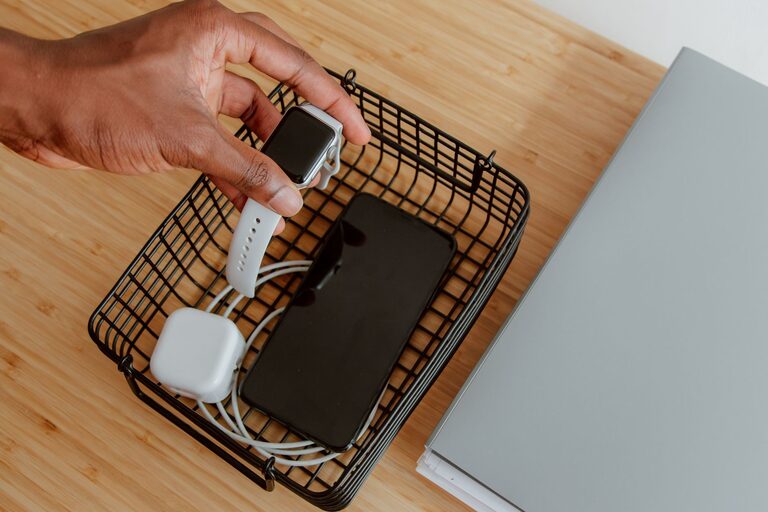
A dedicated charging station can make daily life easier. Instead of searching for cables or leaving devices scattered across a desk, counter, or nightstand, you can create one convenient place for phones, tablets, watches, earbuds, cameras, and other rechargeable devices.
The best charging station does more than keep devices together. It should also be easy to use, safe, accessible, and flexible enough to handle new devices over time. With a few basic supplies and some planning, you can set one up in almost any room.
Choose the Right Location
Start by deciding where the charging station will be used most often. A good location should be close to an electrical outlet and easy to reach, but it should not create a tripping hazard or block normal activities.
Common locations include:
– A desk or home office
– An entryway table
– A kitchen counter
– A bedroom nightstand
– A living room shelf
– A family command center
Think about when and where devices are usually charged. If phones are commonly plugged in overnight, a bedroom station may be practical. If several family members charge devices after coming home, an entryway or shared living area may work better.
Avoid placing the station near sinks, open windows, heaters, or areas where it may be exposed to spills. Keep it on a stable surface with enough room for devices to rest securely.
Count Your Devices and Cables
Before buying accessories, make a quick list of the devices you want to charge. Include devices used every day as well as those that need occasional charging.
For example, your list might include:
– Smartphones
– Tablets
– Wireless earbuds
– Smartwatches
– E-readers
– Cameras
– Portable game systems
– Rechargeable batteries
– Bluetooth speakers
Next, check which cables or connectors each device uses. Some devices may share the same type of cable, while others may require a dedicated connector or charging base.
This step helps prevent two common problems: buying equipment you do not need and discovering that the station does not support one of your important devices.
Select a Charging Method
There are several ways to build a charging station. Your choice depends on the number of devices, available space, and how much flexibility you want.
Multiport Charging Hub
A multiport charging hub is useful when several devices need to charge at the same time. It reduces the number of wall adapters and keeps charging equipment in one place.
Look for a model with:
– Enough ports for current devices
– A suitable mix of port types
– Clearly labeled connections
– A stable, well-built design
– Safety features from a reputable manufacturer
Leave a few extra ports available if you expect to add devices later.
Charging Dock
A charging dock gives each device a designated space. It can be especially helpful for phones, watches, and earbuds that have dedicated charging accessories.
Docks keep devices upright and make it easier to see which items are charging. Some models also hide cables beneath the surface for a cleaner appearance.
Wireless Charging Pad
Wireless charging pads reduce cable clutter and make it easy to place a compatible device on a charging surface. They are convenient for everyday use, but they may not work with every device or protective case.
A wireless pad is often a good addition to a station, even if some devices still require cables.
Combination Setup
Many households benefit from a combination of charging methods. For example, a station may include a wireless pad for a phone, a stand for a smartwatch, and a multiport hub for tablets and other devices.
Organize the Cables
Cable management is one of the most important parts of a useful charging station. A station with tangled cords can become difficult to use quickly.
Try these simple approaches:
– Use short cables when possible.
– Label cables by device or connector type.
– Group cables with reusable ties or clips.
– Add adhesive cable holders to the back or side of furniture.
– Keep extra cables in a small box or drawer nearby.
– Route cords toward the back of the station.
– Leave enough length for comfortable use without excessive slack.
Avoid tightly bending cables, especially near the connector. Sharp bends can damage the cable over time. Replace cables that have exposed wires, loose connectors, or visible damage.
If several cables look similar, use small labels or colored markers to identify them. This saves time and prevents you from unplugging the wrong device.
Add Device Storage
A charging station works best when every device has a clear place to rest. You can use a desktop organizer, small shelves, baskets, or a purpose-built charging stand.
Choose storage based on the devices you own. Taller slots may be useful for tablets, while smaller compartments can hold earbuds or smartwatches. Make sure each space is wide enough for a device with its case if you plan to leave the case on while charging.
Avoid stacking devices directly on top of one another. They may become harder to reach, and charging cables can be pulled or bent. Open compartments also allow you to see charging indicators more easily.
For a shared station, consider assigning one section to each person. Simple labels can help keep devices from getting mixed up.
Check Power and Safety
Use the charging equipment according to the manufacturer’s instructions. Choose adapters, hubs, and cables designed for your devices, and avoid forcing connectors into ports.
Keep these safety practices in mind:
– Do not use damaged adapters or frayed cables.
– Avoid overloading an outlet or power strip.
– Keep chargers away from water and heat.
– Do not cover charging equipment with clothing or other materials.
– Place devices on a hard, stable surface while charging.
– Keep cords away from walkways.
– Unplug equipment that becomes unusually hot, smells odd, or shows signs of damage.
A power strip with built-in protection can help organize several plugs, but it should not be treated as a solution for overloading an outlet. If you are unsure about the electrical capacity of a location, ask a qualified professional to review it.
Make the Station Easy to Use
Convenience determines whether the charging station becomes part of your routine. Keep the most frequently used ports and spaces within easy reach. Place less frequently used accessories in a nearby drawer or storage box.
You can also add a small tray for items that need charging but are not connected yet. This keeps loose devices from spreading across the room.
Consider placing a small sign or label near each section, especially in a shared household. Labels such as “phones,” “tablets,” or “watch” make the setup easier for everyone to understand.
If the station is in a dark area, use gentle lighting so you can connect devices without searching. Avoid bright lights that may be distracting in a bedroom.
Maintain the Charging Station
A charging station needs occasional maintenance. Once a month, check the cables, connectors, and power equipment for wear. Remove dust from the surface and confirm that each device still has a suitable cable.
Every few months, review the setup and remove items that are no longer used. Replace outdated or damaged accessories, and adjust the layout if you have added new devices.
A well-planned charging station should make charging simpler, not more complicated. By choosing a practical location, organizing cables, using compatible equipment, and keeping the area clear, you can create a reliable home base for your everyday devices.